Write the wiki
Drawings, sheets and HTML pages
Make Excalidraw drawings, mind maps, spreadsheets, calc sheets, mockups, canvases and interactive HTML pages part of the wiki, and embed them in the pages they explain.
A page can be more than markdown. Each of these is a page in the tree like any other, placed under the page it explains, and shown inside that page by embedding it. Each one keeps its own file, such as .excalidraw or .csv, so other tools can still open it.
Choosing a type
| Type | File | Use it for |
|---|---|---|
| HTML page | .html | A map of a market, a product or an architecture, an interactive explainer, a timeline: anything a reader clicks through |
| Drawing | .excalidraw | A diagram whose layout carries meaning, such as an architecture sketch or a flow someone will rearrange |
| Mind map | .mindmap | A branching outline people expand and reorganize: open questions, risks, a brainstorm |
| Spreadsheet | .csv | A table of data people sort, filter and compute over |
| Calc sheet | .calc.md | A model of named numbers with units: pricing, capacity, unit economics |
| Mockup | .mockup.html | One screen or wireframe, drawn as it would look |
| Canvas | .canvas | Several pages laid out side by side and wired together, each card a live view of its page |
| Data model | .prisma | A database schema shown as tables and relations |
For a small flow that reads top to bottom, a Mermaid block in the page is simpler than a drawing.
Making one
Ask the agent in plain words, and name the page it belongs under:
Draw the go-to-market flow as a page under Strategy.
Make a mind map of the open questions and risks for the launch.
Add a spreadsheet of deal size by region, with a total row.
Build an HTML map of the AI stack, one box per layer, each box linking to its page.
The agent creates the page under the one you named and embeds it there. For drawings and mind maps it uses dedicated tools that place shapes, bind arrows to labels and edit nodes, so you get a drawing that opens cleanly instead of hand-written JSON.
You can also start one yourself from the New page menu in the browser view, which opens and edits every type in the table above.
Embedding one in a page
A link alone in its paragraph shows the page live inside the page that links it. The path is relative to the linking page’s file, and the title carries the page’s id and, optionally, its size:
[Go-to-market flow](Strategy/Go-to-market%20flow.excalidraw "id=01J9Z3M2... width=1000 height=600")Leave out width and height to use the default size. An embedded HTML page grows with its content unless you set height. Embed a page where the reader needs to see it, and link to it from a list.
The agent fills in the id for you. If you write the link by hand, copy the id from the page’s file (see Edit the files).
HTML pages
An HTML page is a complete HTML document. Use one for a map or explainer a reader clicks through.
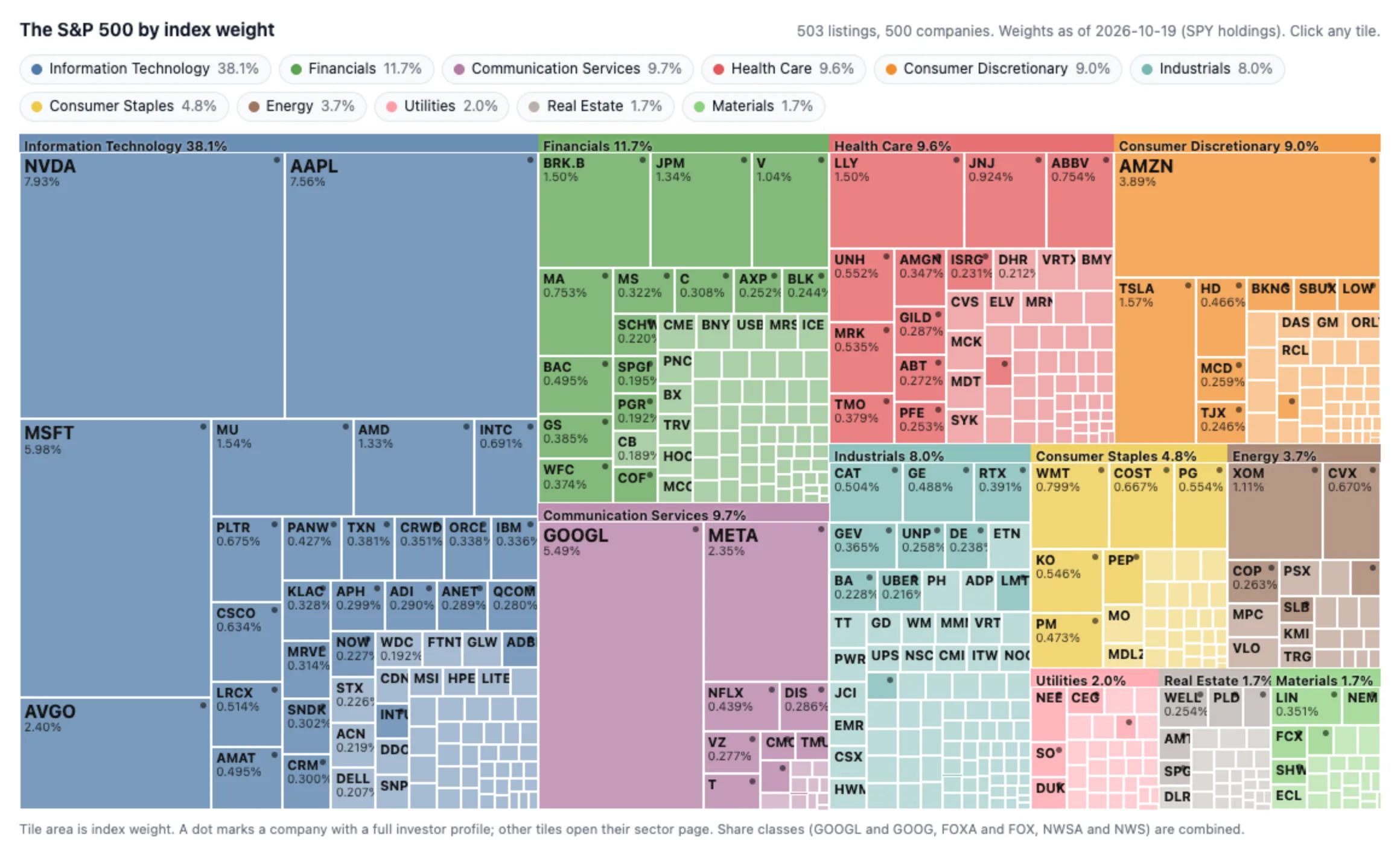
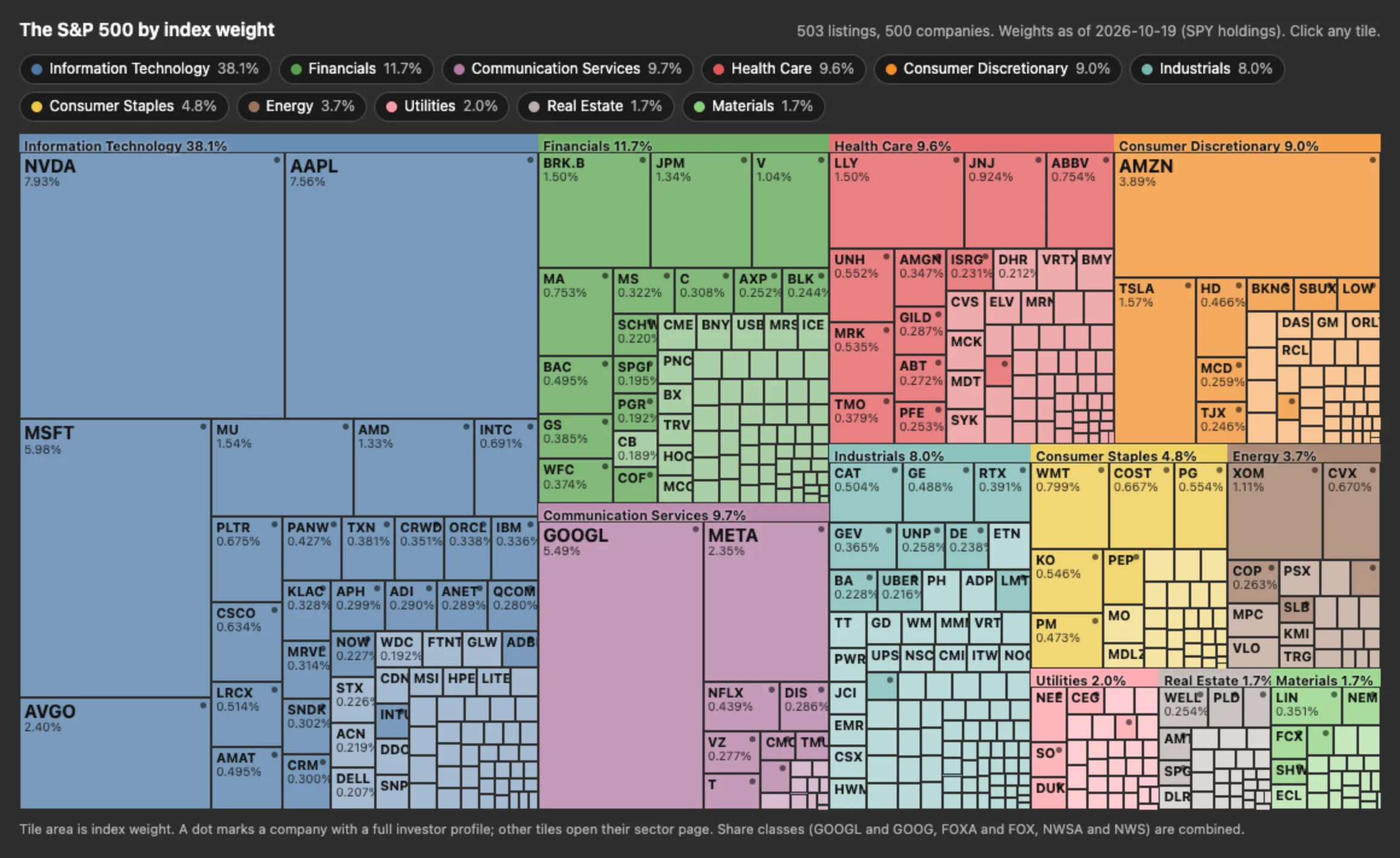
- It runs in a sandbox. Scripts, styles, fonts and images may load over https (a library from a CDN is fine), but fetch, XHR and WebSocket are blocked. Put the data the page shows in the file itself.
- Links open wiki pages. An ordinary
<a href>with a path relative to the HTML file opens that page, such asMarkets/Europe.md. - It follows the theme. Light and dark colors are set as CSS variables on
:root. Use them instead of fixed colors:--nim-bg,--nim-bg-secondary,--nim-bg-tertiary,--nim-bg-hover,--nim-text,--nim-text-muted,--nim-text-faint,--nim-border,--nim-primary,--nim-link,--nim-success,--nim-warning,--nim-error,--nim-info. - Embedded, it is interactive at once. Readers click and scroll inside it without selecting it first.
A map whose boxes open their pages:
<!doctype html>
<html>
<head>
<meta charset="utf-8">
<style>
  body { margin: 0; padding: 16px; background: var(--nim-bg); color: var(--nim-text); font: 14px system-ui, sans-serif; }
  .map { display: grid; grid-template-columns: repeat(auto-fit, minmax(160px, 1fr)); gap: 12px; }
  .layer { grid-column: 1 / -1; color: var(--nim-text-muted); font-size: 12px; text-transform: uppercase; }
  a { display: block; padding: 12px; border: 1px solid var(--nim-border); border-radius: 8px; background: var(--nim-bg-secondary); color: var(--nim-text); text-decoration: none; }
  a:hover { border-color: var(--nim-primary); }
  a small { display: block; color: var(--nim-text-muted); }
</style>
</head>
<body>
<div class="map">
  <div class="layer">Applications</div>
  <a href="Layers/Copilots.md">Copilots<small>Assistants in existing tools</small></a>
  <a href="Layers/Agents.md">Agents<small>Multi-step work</small></a>
  <div class="layer">Infrastructure</div>
  <a href="Layers/Models.md">Models<small>Frontier and open weights</small></a>
</div>
</body>
</html>
Keep a map to one screen without scrolling, and make every box link to a page in the wiki or to a source outside it. Use an HTML page for anything people click through. The mockup editor takes clicks for selection and comments, so links in a mockup do not open.
Drawings
A drawing is an Excalidraw file. Ask the agent to draw it, then move shapes and arrows around in the browser view.
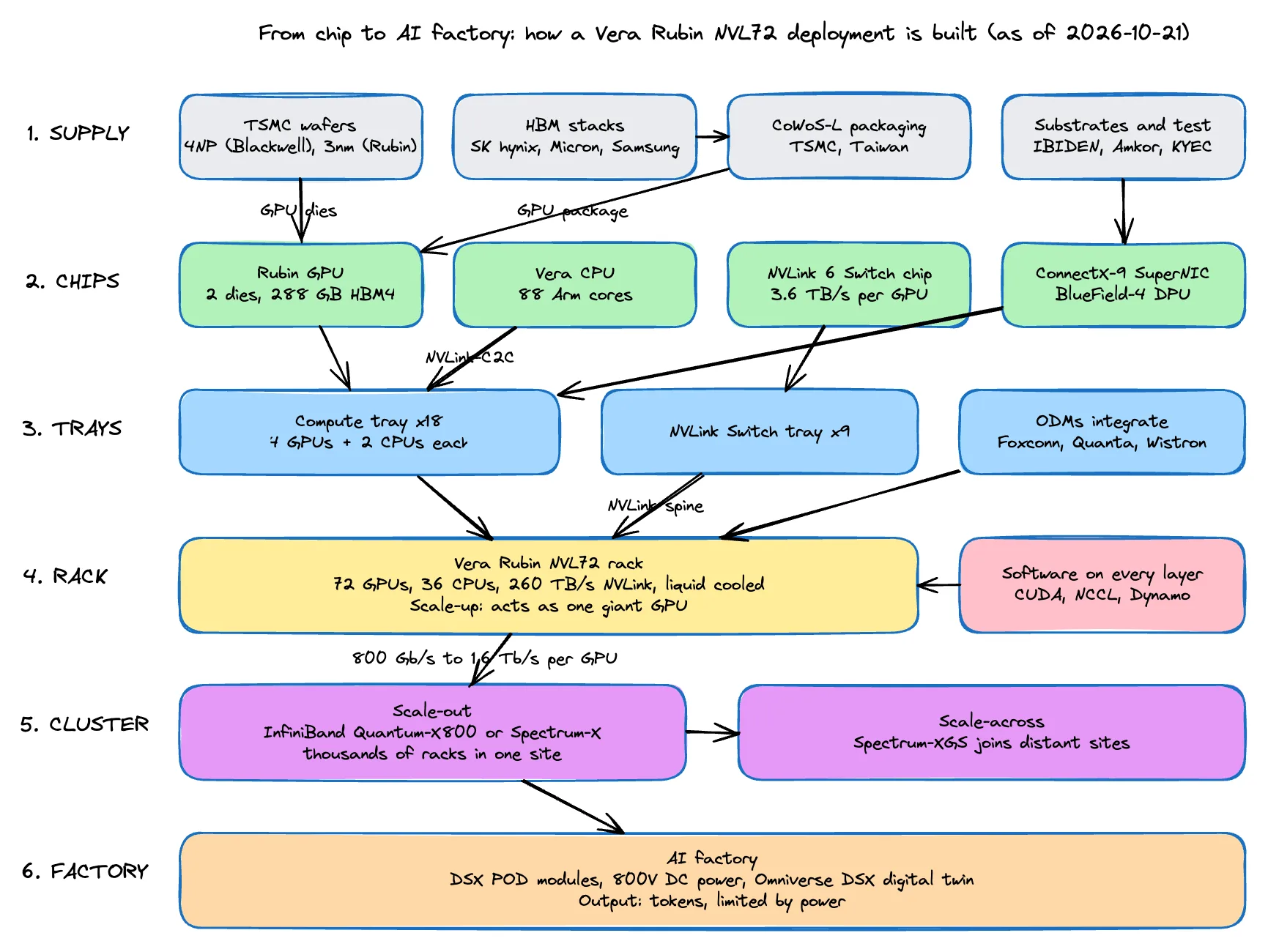
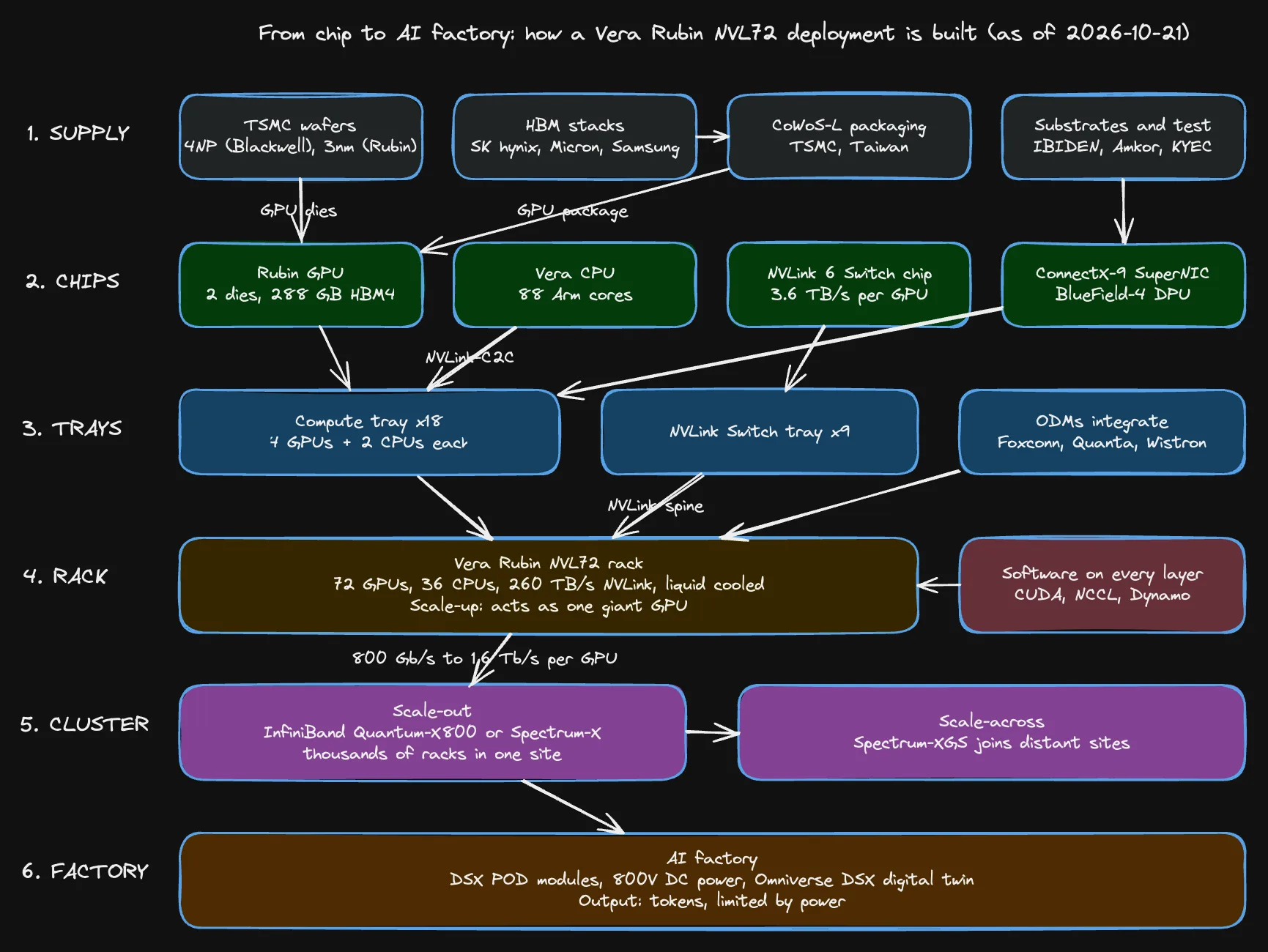 An empty drawing is:
{"type":"excalidraw","version":2,"source":"https://excalidraw.com","elements":[],"appState":{"gridSize":null,"viewBackgroundColor":"#ffffff"},"files":{}}Mind maps
A mind map is a markdown outline with frontmatter: exactly one # root, ## and ### for the next levels, then - list items indented by two spaces. A > line right after a node is its note, and {color: green, status: todo} after a node’s text styles it.
---
title: Launch plan
---

# Launch

## Product
- Pricing page
- Onboarding

## Marketing {color: blue}
> Owned by Dana.
- Launch post
Spreadsheets
A spreadsheet is plain CSV. A first row of text is taken as the header. A cell starting with = is a formula with A1 references. Quote a cell that holds a comma or a quote.
Plan,Seats,Price,Monthly
Team,10,12,=B2*C2
Business,50,10,=B3*C3
Total,,,=SUM(D2:D3)
Calc sheets
A calc sheet is frontmatter, then one entry per line: # Section, name = expression (values may carry units, such as 100 USD), an optional -> currency(USD, 2), -> percent(1) or -> number(0) to format the result, assert <expression> to check one, and // comment. Any other line is prose.
---
title: Seat pricing
baseCurrency: USD
display:
  decimals: 2
units: []
---

# Inputs
seats = 25
price = 12 USD
discount = 0.1

# Results
monthly = seats * price * (1 - discount) -> currency(USD, 2)
yearly = monthly * 12 -> currency(USD, 0)
assert yearly > 0 USD
Mockups, canvases and data models
- Mockup: a standalone HTML document with inline CSS and no external files, showing one screen.
- Canvas: a JSON Canvas board of cards and edges. Ask the agent to “put these pages together on one canvas”; each card is a live view of its page.
- Data model: a Prisma schema the editor lays out as tables and relations you can rearrange.
Where they show
- Browser view: opens and edits every type on this page. See Browser view.
- Static site: shows embedded pages read-only. See Publish as a static site.
- Team wiki: moving a local wiki to a team brings its drawings, mind maps, sheets and other editor pages along, and the preview before the move lists anything it cannot bring. An agent working on a team wiki from a terminal can embed pages that already exist but cannot create new ones; it uses a Mermaid block or a table instead and tells you.