Share
Publish as a static site
Export a local wiki as a read-only website with nim wiki export --static, choose what to leave out, and host it on Cloudflare or any static host.
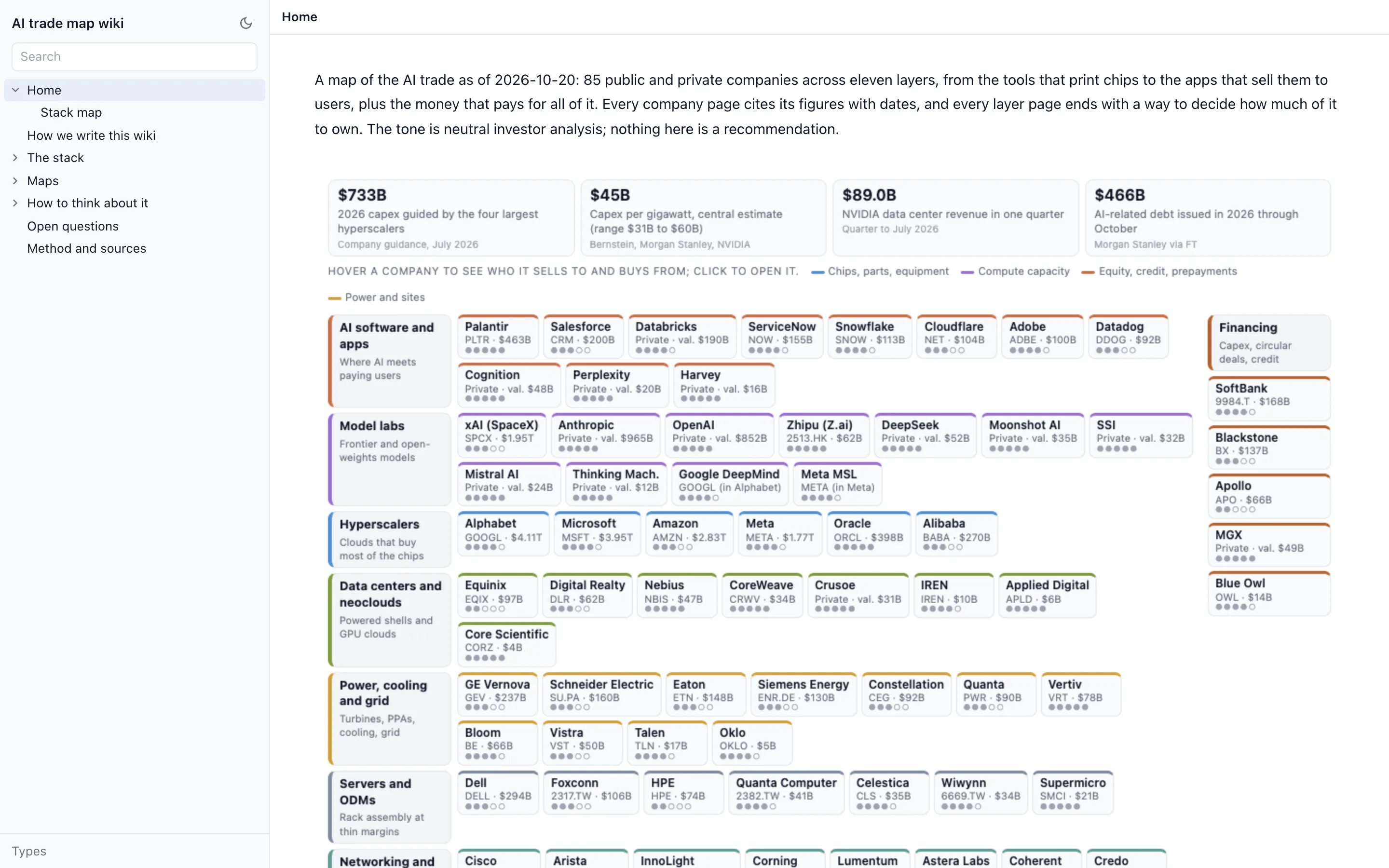
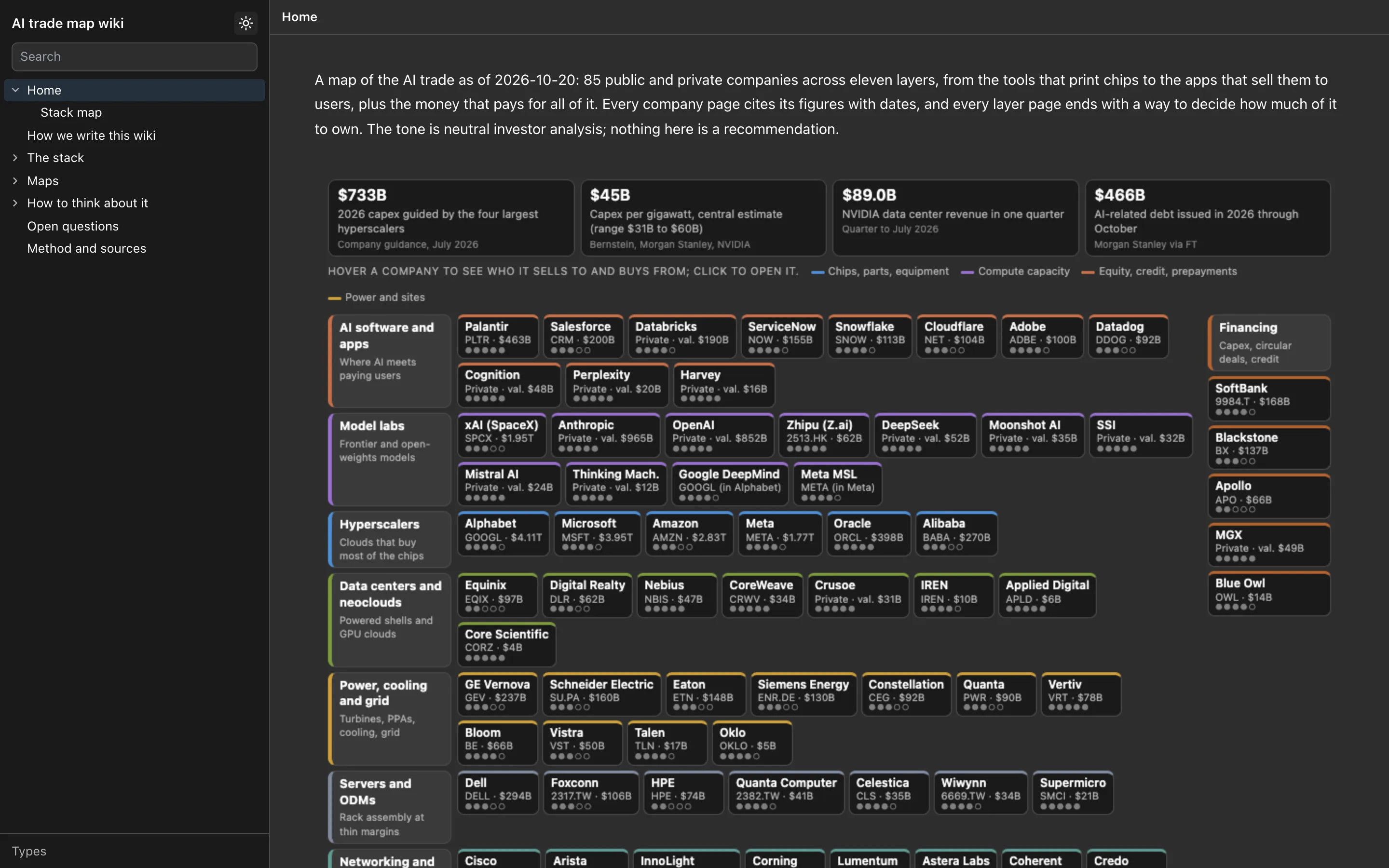
nim wiki export --static turns a local wiki into a folder of static files you can host anywhere. Readers get every page with its blocks, embedded drawings and HTML pages, the page tree, “Linked from” lists and search, read-only, with no account and nothing to install.
Static export needs nim 0.12.0 or later, and --base needs 0.12.2. Run nim --version to check, and see Upgrade to update.
Export
In the project folder:
nim wiki export --static site --title "Market map"You can also ask your agent to “export the wiki as a static site in the folder site” and it runs the command for you.
The command prints a summary of what it exported and what it left out:
Exported 24 pages, 12 typed pages, 0 table rows, 2 types and 3 linked files to site
Left out: Private notes (export-false)
Removed 6 person fields (owners, assignees, emails); --keep-identity keeps them

Serve the folder from the root of a site (any static host, or `npx serve <dir>` to try it).
Options
| Flag | Effect |
|---|---|
--title T | The site name shown in page titles and link previews. Without it, the project folder’s name is used. |
--base /path/ | Write every link and asset under a path, for a site served at https://example.com/path/ instead of the root. |
--subtree <page> | Export only this page and the pages under it. The page becomes the site’s home. |
--exclude-type a,b | Leave out every typed page of these types. |
--outside-refs text|console | How links to team wiki pages appear. text (the default) turns them into plain text, and console keeps them as links. |
--keep-identity | Keep person fields (owner, assignee, author, user fields and email addresses). They are removed by default. |
What the folder holds
site/
  index.html              the Home page
  strategy/index.html     one folder per page
  strategy/pricing/index.html
  types/                  a page per type, with its table
  search/index.html
  404.html
  _wiki/                  page data for the browser app
  assets/                 the browser app
  extensions/             editors for drawings, mind maps, sheets
  html-embed/             the frame that runs embedded HTML pages
Each page is prerendered as HTML, so it reads without JavaScript and search engines and link previews see its text. The browser app then takes over and adds the page tree, embedded pages, search and navigation.
Leave pages out
-
One page and everything under it: add
export: falseto its frontmatter.--- id: 01J9Z3K6V4C2W8N5QX7R1T0BHM export: false --- -
A whole type:
--exclude-type competitor,customer. -
Everything outside one section:
--subtree "Strategy".
Links to a page that is not exported turn into plain text, so nothing on the site points at a page that is not there.
Check what is in the page text before you publish. --keep-identity controls person fields only. A decision mark in a page body, such as {decided by="Dana Lee" email=dana@example.com}, is published with the name and email you wrote. If the wiki was moved to a team, the local Home page starts with a line linking to the team wiki; edit it out if the public site should not show it.
Serve it from the root, or export for a path
By default the export expects to be the whole site: serve the folder at the root of a domain or subdomain, such as https://wiki.example.com/. To put it under a path instead, export with --base and serve the folder at that path:
nim wiki export --static site --base /wiki/ --title "Market map"Every link and asset is then written under /wiki/, so the site works at https://example.com/wiki/. Without --base, a site served under a path would have broken links.
Try it locally:
npx serve siteRe-export
Run the same command again to update the site. The previous export is kept beside it as site.previous. The command refuses to write into a folder that holds anything other than an earlier export, so pick an empty or new folder the first time.
Files you add to the folder by hand, such as robots.txt, move to site.previous on the next export. Add them again after each export, for example in a small deploy script.
Host it on Cloudflare yourself
NimWiki charges nothing for a static site. You export it on your machine and host the folder wherever you like, and Cloudflare is a good default: a free account serves a wiki-sized site at no cost, with a free workers.dev address to start and your own domain when you want one. The whole path takes about ten minutes the first time and one command after that.
What you need
- A Cloudflare account. The free plan is enough; requests for static files do not count against its limits.
- Node.js 22 or later, which you already have if
nimruns. - The exported folder from the step above, here called
site.
1. Describe the site to Cloudflare
Create a file named wrangler.jsonc in the folder that holds site (not inside site, which is replaced on every export):
{
  "name": "market-map",
  "compatibility_date": "2026-10-01",
  "assets": { "directory": "./site", "not_found_handling": "404-page" }
}
name becomes the first part of the free address, so market-map is served at https://market-map.<your-subdomain>.workers.dev. not_found_handling: "404-page" serves the export’s 404.html for unknown paths.
2. Sign in and deploy
npx wrangler login     # opens the browser once; the token is saved on your machine
npx wrangler deploy
The first deploy asks you to pick a workers.dev subdomain if your account has none yet, uploads the folder, and prints the address. Open it: the Home page, page tree, search, drawings and embedded HTML pages all work from there. Nothing runs on a server; Cloudflare serves the files from its edge.
3. Put it on your own domain
Add your domain to the same Cloudflare account if it is not there already (Cloudflare walks you through pointing the domain’s nameservers at it). Then add a route to wrangler.jsonc and deploy again:
{
  "name": "market-map",
  "compatibility_date": "2026-10-01",
  "assets": { "directory": "./site", "not_found_handling": "404-page" },
  "routes": [{ "pattern": "wiki.example.com", "custom_domain": true }]
}
Cloudflare creates the DNS record and the certificate, so https://wiki.example.com/ is live within a minute or two. A domain on a different Cloudflare account cannot be attached from this one, so deploy from the account that holds the domain.
4. Update the site
Export again and deploy again. Put the two commands, and anything you add to the folder by hand, in one script so nothing is forgotten:
#!/usr/bin/env sh
set -e
nim wiki export --static site --title "Market map"
printf 'User-agent: *\nDisallow: /\n' > site/robots.txt   # drop these two lines for a public site
printf '/*\n  X-Robots-Tag: noindex, nofollow\n' > site/_headers
npx wrangler deploy
Each run replaces the previous site in place, and readers see the new pages on their next load. You can also ask your agent to “re-export the wiki and deploy it” and it runs the script.
Limit who can open it
A deployed site is readable by anyone with the address. To require a sign-in without hosting anything yourself, put Cloudflare Access in front of it: in the Cloudflare dashboard, under Zero Trust, add a self-hosted application for the site’s hostname and a policy that allows the email addresses or domain you choose. Access is free for small teams, readers get a one-time code by email, and the export itself does not change.
Other hosts
Any static host works the same way: upload the folder and serve it from the root, or export with --base and serve it at that path. Netlify, Vercel, GitHub Pages, an S3 bucket behind a CDN, or a plain web server all serve the export; only the upload step differs. A _headers file is read by Cloudflare and Netlify, and other hosts set response headers in their own settings.
Keep it out of search engines
The export does not add a robots.txt or a noindex header, so a public site can be indexed. To keep it out of search results, add both after each export:
printf 'User-agent: *\nDisallow: /\n' > site/robots.txt
printf '/*\n  X-Robots-Tag: noindex, nofollow\n' > site/_headers
Cloudflare and other hosts that read a _headers file send the header with every page. The deploy script above adds both on each export.
Publish or share with a team
| Static site | Team wiki | |
|---|---|---|
| Readers | Anyone with the link | People you invite |
| Editing | Read-only | Read and edit, together |
| Updates | When you export again | Live |
| Hosting | Yours | Hosted |
See Promote to a team for a wiki people edit together.